Build a workspace guests can trust before check-in
Publish measured connectivity, fit a real chair and desk, support common devices, separate calls from shared work, and document the backup plan.
The short answer: A credible work-friendly vacation rental proves that a guest can sit, connect, call, charge, display, and recover from a failure. Replace phrases such as fast wifi and dedicated workspace with a dated speed test, desk dimensions, chair model or adjustments, monitor ports, outlet locations, call conditions, and clear troubleshooting steps.
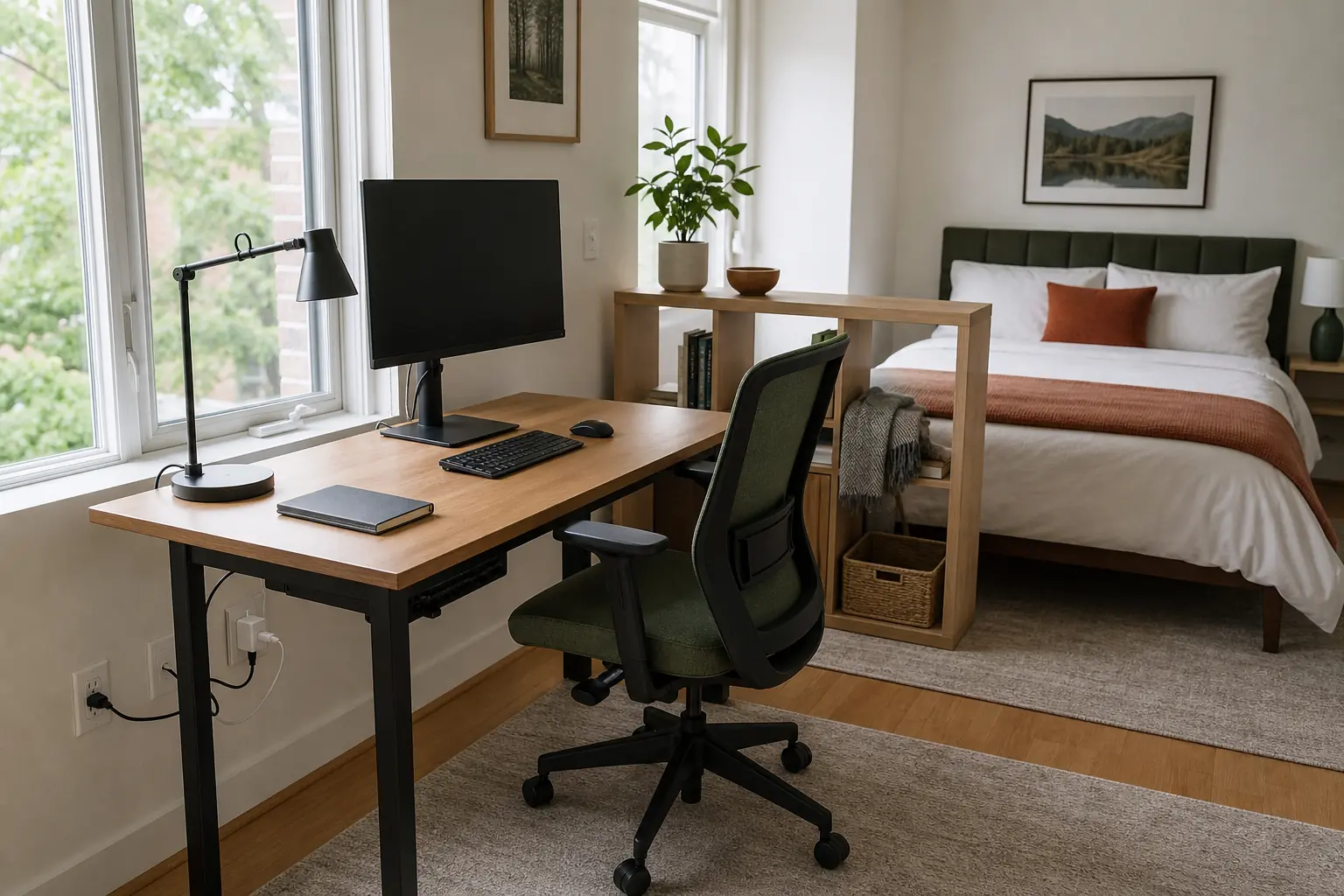
Six principles for a work-ready stay
Work guests evaluate constraints, not decor. Design around the tasks they must complete and publish the details that determine compatibility.
-
Measure the promise
Record wired and wifi download, upload, latency, test date, and test location. Publish the service type and treat the result as a dated observation, not a guaranteed speed.
-
Fit a real workday
Use a stable desk with stated dimensions, an adjustable task chair, accessible power, controllable task light, and enough knee and monitor clearance for sustained computer work.
-
Design for compatibility
List monitor size, resolution, inputs, cable types, dock wattage, keyboard layout, and operating limits. Keep labeled adapters and spares where guests can find them without contacting the host.
-
Separate work modes
Give individual desk work, video calls, and group sessions distinct positions. In shared stays, prevent one call from taking over the dining table or blocking another guest from working.
-
Engineer recovery
Document router restart order, provider contact, backup connectivity limits, spare cables, and a nearby fallback workspace. Test the plan instead of merely storing a hotspot.
-
Protect guest and network privacy
Use an isolated guest network, change default router administration credentials, keep firmware current, and prevent shared printers or supplied devices from retaining another guest's files. Describe these controls as operating practices, not a guarantee of security.
Good fit when
- The property has stable primary internet, practical cellular or secondary coverage, and host access to the network equipment.
- A desk can remain dedicated throughout the stay with adequate chair clearance, power, and camera framing.
- Turnover staff can test connectivity and peripherals, restore cable labels, and escalate faults before check-in.
Poor fit when
- Internet service is intermittent and the listing cannot disclose its limitations or provide a realistic fallback.
- The only work surface is a dining table required for meals, with a dining chair and extension lead crossing a walkway.
- The property has unresolved household, street, construction, or mechanical sound that routinely disrupts calls and cannot be described accurately.
Do not market around remote work until the weakest link has been tested: upload, chair fit, power, ports, camera position, call separation, or the recovery path.
Spend on reliability before adding capacity
These are realistic USD editorial ranges, not supplier quotes or income forecasts. Confirm service availability, electrical work, tax, installation, commercial-use warranties, insurance, and local building costs.
Verified workstation
$900-$1,800Build one dependable seat: adjustable chair, stable desk, 27-inch monitor, task lamp, surge protection, USB-C dock, ethernet cable, labeled adapters, cable management, headset, and basic network testing. The spend buys ergonomic and connection proof.
Long-stay studio
$2,500-$6,500Add sit-stand adjustment or a larger desk, dual monitors, higher-capacity dock, wired network run, backup connectivity, printer, camera-ready wall, soft furnishings or door seals for calls, and a second compact call position. The spend buys redundancy and mode separation.
Small-team annex
$10,000-$30,000+Create group capacity with a dedicated meeting room, durable table and task seating, power and ethernet at each seat, ceramic whiteboard, display or conferencing equipment, printer station, and an enclosed one-on-one room. Include design, circuits, data cabling, acoustic review, permits, and commissioning.
Five areas that make work possible
Network and recovery
Make connectivity measurable, reachable, and recoverable.
- Place the primary router in open air, label power and internet cables, and keep staff access unobstructed.
- Run ethernet to the main desk where practical and record wifi tests at the desk and call location.
- Separate guest traffic from host or building systems, secure router administration, and document the firmware review and credential-change routine.
- Store a tested restart sequence, provider details, backup limits, and nearest fallback workspace in one support card.
Primary workstation
Support one person through a full computer-based work session.
- Provide a stable desk at least large enough for a laptop and monitor, then publish its width, depth, and clear knee space.
- Fit an adjustable task chair and leave its control guide attached beneath the seat or in the desk drawer.
- Place grounded power, charging, ethernet, task light, and frequently used ports within seated reach.
Calls and recording
Give spoken work a predictable place and disclose its limits.
- Frame the camera toward a plain, professional background with front or side illumination and no circulation behind the chair.
- Use a solid door, door seals, curtains, rugs, or acoustic panels where they materially reduce sound transfer.
- Provide a headset and state nearby traffic, household, HVAC, or scheduled construction conditions that may affect calls.
Shared work and offsites
Give every advertised participant a seat, outlet, and line of sight.
- Count task-capable chairs, table width, power points, ethernet drops, and display visibility against team capacity.
- Mount the whiteboard or display where every seat can read it without moving furniture or blocking a door.
- Keep group work physically separate from the primary sleeping wing and identify where one-on-one calls can move.
Print, supplies, and support
Resolve routine failures without a host visit.
- Stock labeled HDMI, DisplayPort, USB-C, ethernet, and charging cables that match the listed equipment.
- Keep printer paper, spare toner or ink, markers, erasers, batteries, and basic stationery at defined par levels.
- Post one concise support path with device names, restart order, fault photos, host contact, and escalation timing.
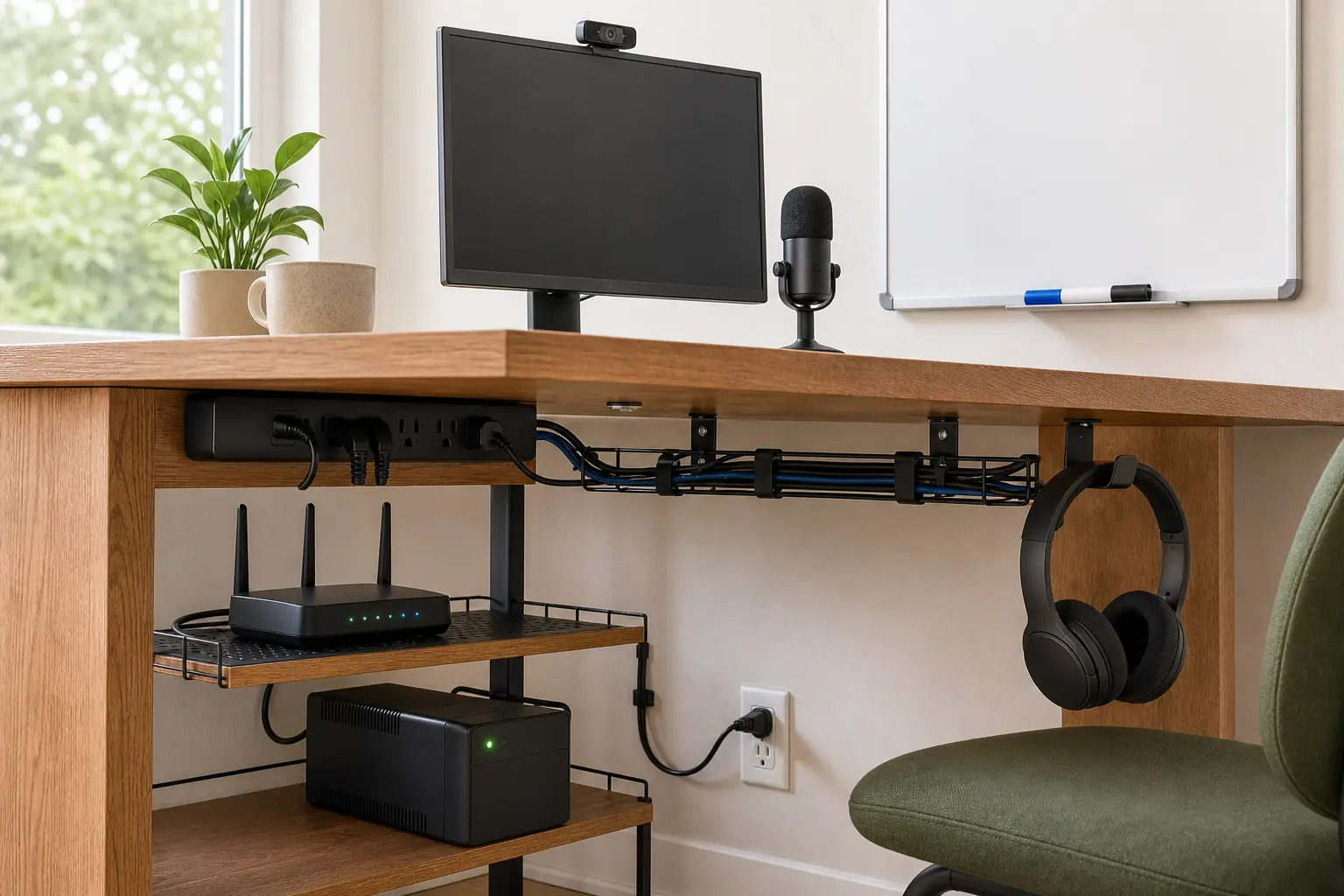
Match the workspace to the booking pattern
A month-long individual stay, a founder work block, and a team offsite require different rooms. Choose one lead use case and make secondary uses explicit.
The long-stay workstation
Promise: One guest can work regular computer hours with a dependable desk, display, connection, and fallback.
Proof: Show the complete seated setup, desk dimensions, chair adjustments, current wired and wifi test, monitor ports, dock wattage, outlet access, and ethernet cable.
Avoid: Do not stage a laptop on a console or dining table and call it dedicated. The work surface must remain available during the stay.
The founder or writer studio
Promise: One person can draft, map, print, and take a private call without changing rooms for basic tasks.
Proof: Show a large desk, working whiteboard, marker stock, printer, call position, task lighting, power, templates or reference tools, and the exact connectivity setup.
Avoid: Do not substitute motivational decor or a book display for usable wall area, legible templates, maintained equipment, and call conditions.
The small-team annex
Promise: The advertised team can meet, connect devices, write together, split off for calls, and leave sleeping rooms available.
Proof: Show every task chair, power and data access, table dimensions, whiteboard scale, display inputs, printer, one-on-one room, and the separation from bedrooms.
Avoid: Do not advertise capacity from dining seats alone. A team of eight needs eight usable work positions and a credible call-overflow plan.
Test the office before every arrival
Six turnover standards
- Run and timestamp a wifi test at the main desk; test wired service separately when ethernet is advertised and record outages for host review.
- Wake every monitor, inspect for damage, test each listed input, dock, charger, keyboard, mouse, webcam, headset, and printer connection.
- Return the chair, monitor arms, sit-stand desk, task lamp, cable labels, and camera position to the photographed neutral setup.
- Restock paper, toner or ink, markers, erasers, adapters, batteries, and spare cables to par; remove confidential papers and erase whiteboards completely.
- Clear printer queues, scans, local storage, recent-file lists, and saved network credentials from supplied devices; confirm the guest network remains isolated and router administration is not exposed.
- Verify the backup connection or hotspot has power and active service, then confirm the restart card and support contacts still match the installed equipment.
Five photo proofs
- 1One eye-level wide image showing desk, chair, monitor, task light, outlets, window position, and circulation clearance.
- 2One seated-angle image showing knee space, monitor height, camera background, and the reach to power and ethernet.
- 3One close image of the monitor and dock ports with included cable types labeled in the caption.
- 4One dated speed-test image taken at the workstation, identifying wifi or wired connection, service type, and test location without promising future results.
- 5For team properties, one full-capacity image showing every chair, outlet or cable path, whiteboard or display, printer, and one-on-one-room access.
Formula: [Complete a specific work task] from [desk dimensions and chair], using [measured connection plus named equipment], with [call or failure fallback].
Run client calls and edit across two 27-inch displays from a 60-by-30-inch sit-stand desk with an adjustable Steelcase chair. The desk has wired ethernet, a 100W USB-C dock, HDMI and DisplayPort cables, a headset, and a tested cellular hotspot; the listing photos show this month's desk-location speed test.
Five ways work claims fail under use
Publishing adjectives instead of evidence
Fast wifi and work-friendly answer no compatibility questions. Publish dated tests, service type, dimensions, ports, models, and locations.
Using the dining table as the office
A shared meal surface cannot remain a dedicated workstation. Create a permanent desk or clearly frame the property as occasional laptop use.
Buying devices without testing the chain
A 4K monitor is not useful when the dock lacks power, the cable is missing, or the guest cannot select the correct input.
Ignoring calls and multiple workers
One attractive desk does not support two simultaneous calls or an eight-person offsite. Map spoken work, overflow, doors, and circulation.
Treating backup gear as a backup plan
An uncharged hotspot with expired service is inventory, not recovery. Test capacity, write limits, and name the fallback location.
Build the work promise in four passes
Test a real device chain and a real support incident before describing the property as ready for remote work or offsites.
- Define the work case
Choose long-stay individual, focused solo project, or small-team offsite. Write the seat count, task types, call pattern, device needs, and failure tolerance.
- Commission the connection and desk
Test service at work locations, fit the chair and monitor, label every cable and port, measure the desk, and remove circulation or power hazards.
- Simulate a working session
Connect a current laptop, run a video call, share a screen, print a page, fill the whiteboard, occupy every advertised seat, then trigger the written recovery sequence.
- Publish and maintain proof
Capture dated evidence, add a turnover test sheet and support card, disclose material limits, and revise the listing when service or equipment changes.
Work-ready hosting questions
What makes an Airbnb suitable for digital nomads?
A permanent desk, adjustable chair, dated upload and download tests, accessible power, a useful monitor or dock, call conditions, and a tested recovery plan. Publish specifics instead of work-friendly labels.
What internet details should a listing include?
State service type, test date and location, wifi and wired results when available, upload, download, latency, ethernet access, known limits, and backup options. Make clear that results are observations, not guarantees.
Is one monitor enough for a work-focused rental?
Often, if the listing gives its size, resolution, inputs, included cables, and dock compatibility. Dual monitors suit some longer stays but increase desk-space, testing, and support requirements.
Can a dining table count as a dedicated workspace?
Not when guests must clear it for meals or share it with others. Describe occasional laptop use honestly, or add a permanent desk with task seating and power.
What does a small-team offsite house need?
Provide one work-capable seat and power path per person, adequate network capacity, a readable shared surface, display compatibility, printing or supplies, private-call overflow, and separation from bedrooms.
The Work & Focus path succeeds when hosts replace vague workspace claims with a fitted desk, measured connectivity, compatible equipment, separated work modes, and a recovery plan the turnover team tests.
Browse all Themes